One workspace for every admission, case, and enrollment.
Axiqo Edu CRM replaces the spreadsheets, shared inboxes, and scattered tools most education consultancies rely on - with one secure workspace for leads, visa casework, course enrollment, and finance.
takes 2 minutes to look around
0
connected workflows working as one - admissions, immigration, and course enrollment
0-day
check-in - a quiet lead gets flagged for follow-up automatically
0%
of actions checked against the right permissions, automatically, every time
Consultancies rarely fail from effort. They fail from fragmentation.
A lead in a spreadsheet, a case in a WhatsApp thread, a payment in a separate ledger - each fine on its own, but together a picture nobody can see all at once.
Every part of the system, in the order your team actually uses it.
Keep scrolling — each step below comes with its own screenshot. Or jump straight to what you want to see.
Run every part of the business without switching systems.
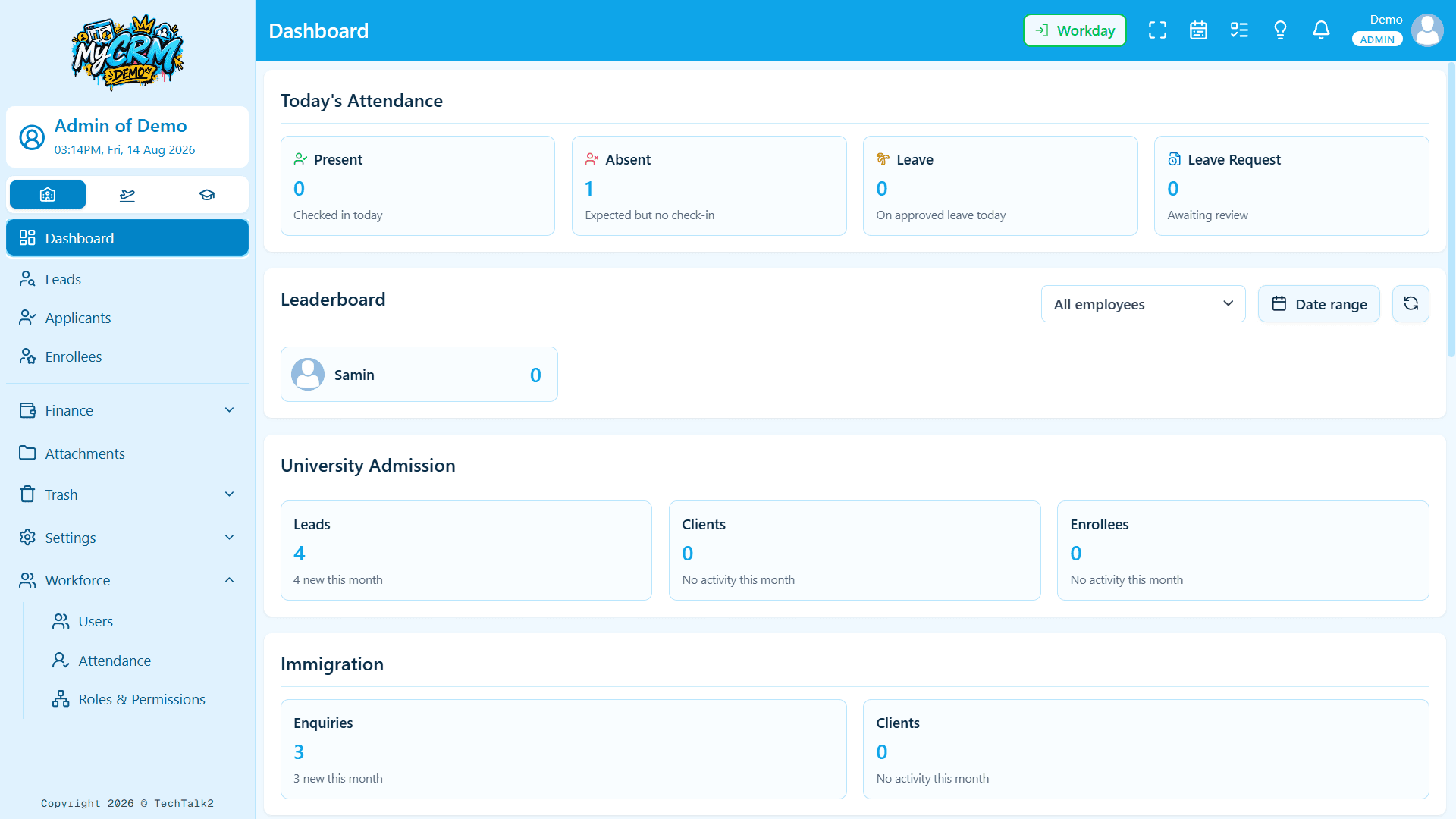
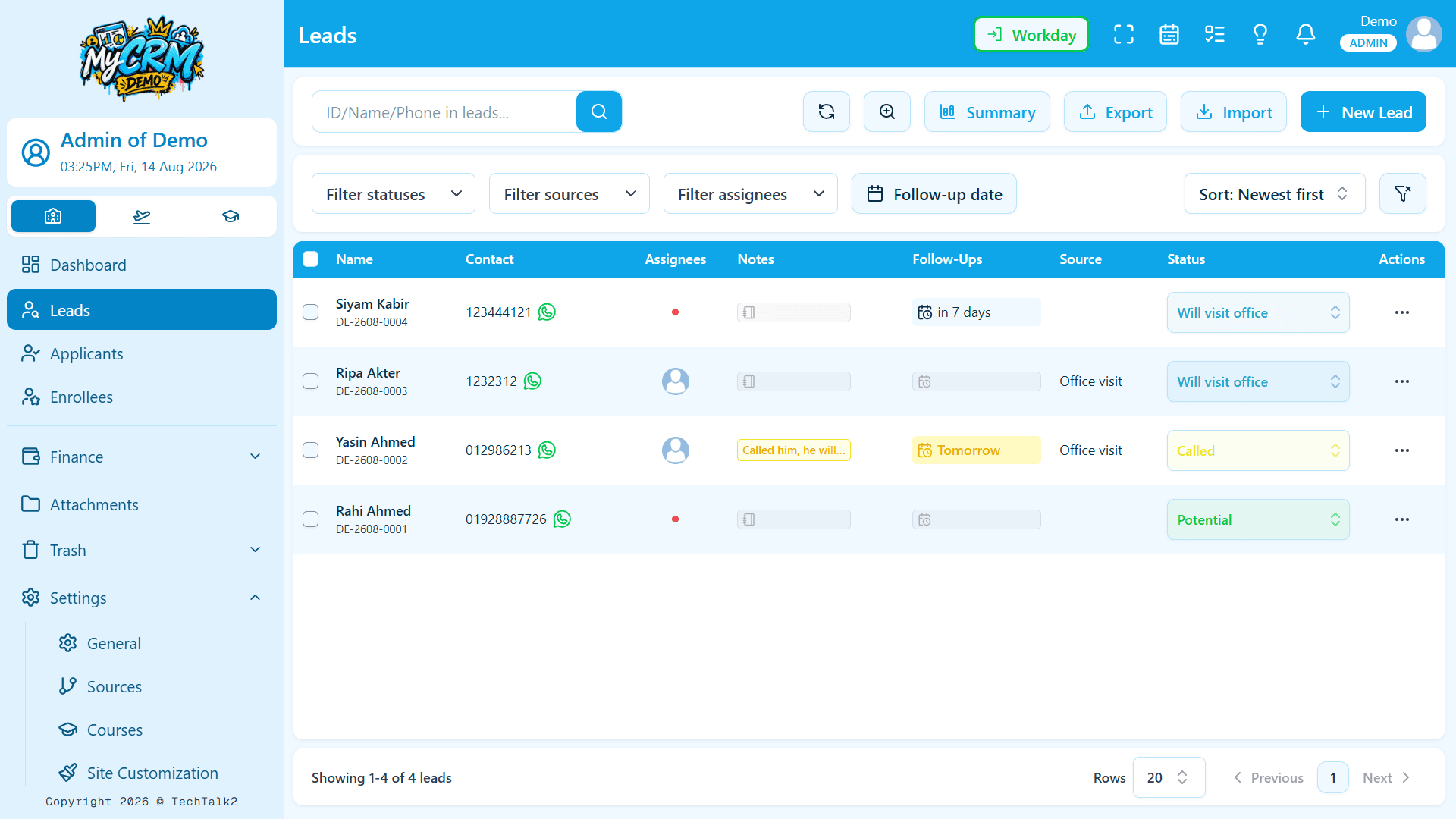
University Admission
The pipeline most consultancies live in every day - captured, qualified, and moved forward without losing context between team members.
- Share ownership of a lead across your team, so it's never just one person's silent responsibility
- Follow-ups, notes, and attachments tracked on every record
- Leads left untouched for 14 days are highlighted automatically, so neglected ones surface themselves
- A team leaderboard gives credit to whoever actually moved a lead forward — fair, transparent, and always up to date
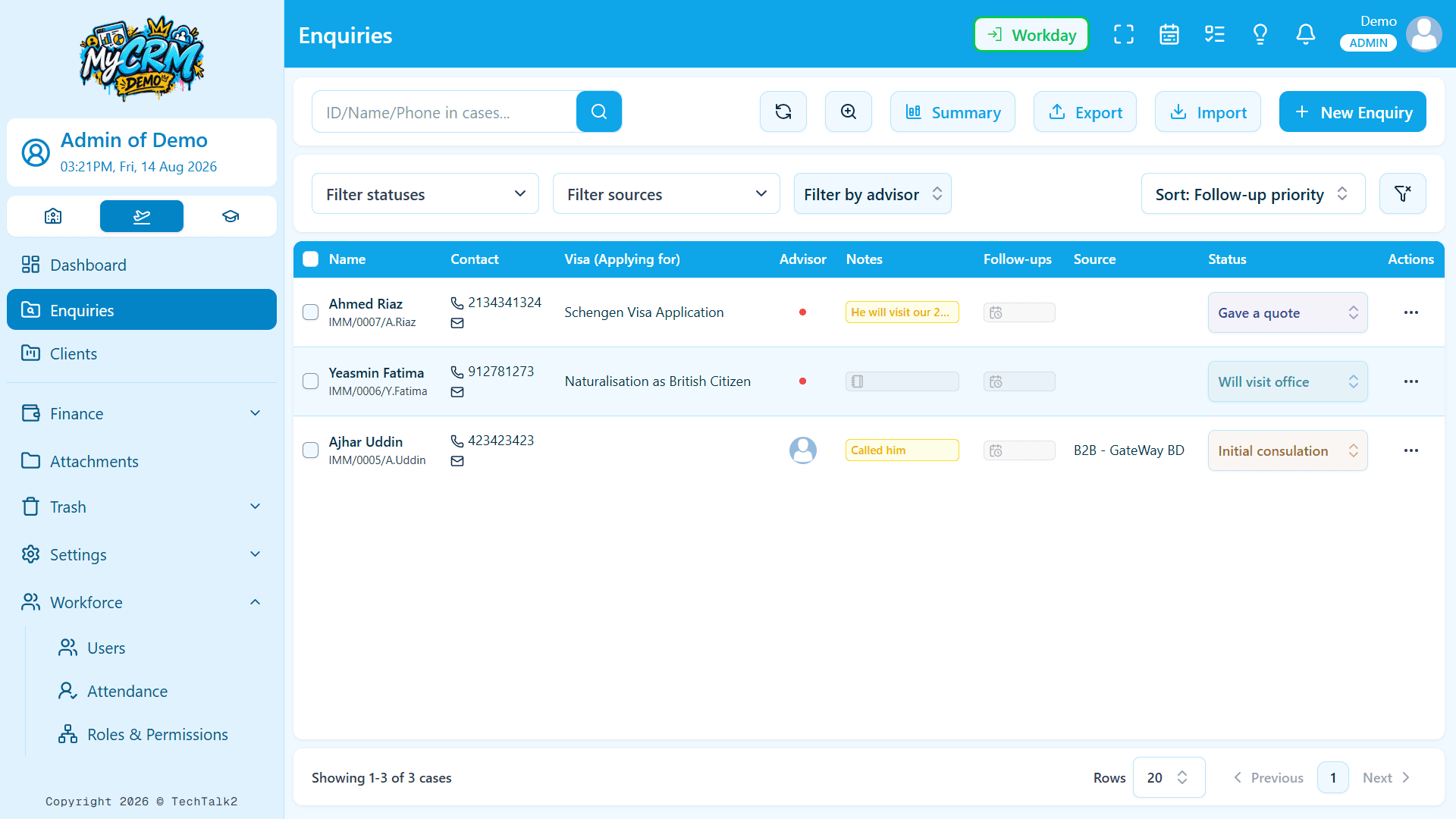
Immigration
Full visa casework - from first enquiry through CAS and visa decision - with the paper trail immigration work actually needs.
- Set up the exact visa stages your team follows, for every case
- Clients can sign authorization letters online through a secure link - no printing required
- Always know who uploaded which document, and when
- Consultants start their day already knowing exactly what needs attention
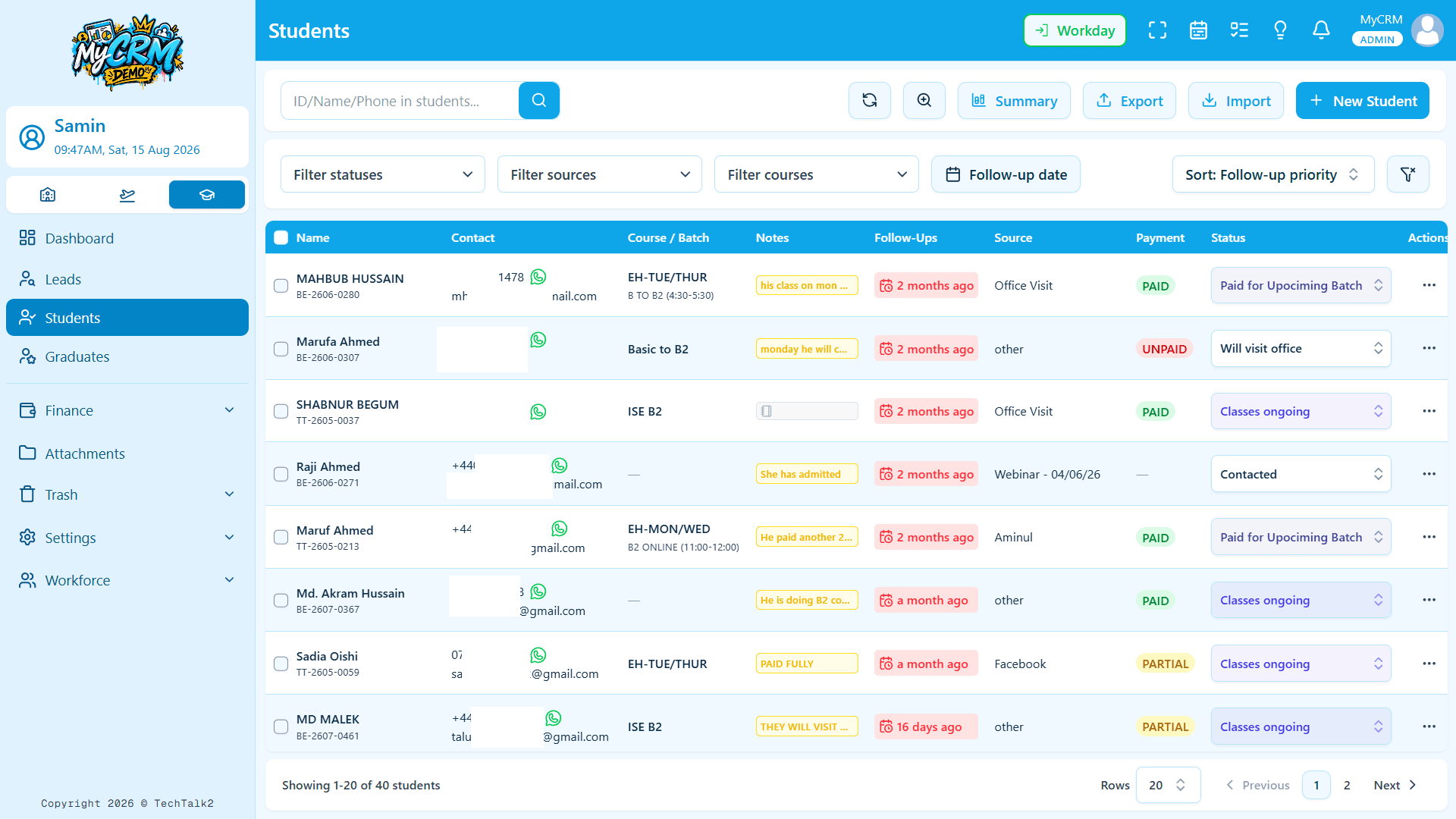
Course Enrollment
A third pipeline for consultancies that also run or broker courses directly - independent from admissions, sharing the same workspace.
- See exactly who's paid, partially paid, or still owes - based on real payments, not a manual checkbox
- Filter and report by country in a click
- The same follow-up reminders and neglected-lead alerts as University Admission, running independently
- Turn this workflow on or off per company — your team only sees what they actually use
The rest of the platform that makes the three workflows actually work.
Finance, files, access control, and your team — the everyday layer every consultancy needs, usually cobbled together from four different tools.
Finance that keeps itself accurate
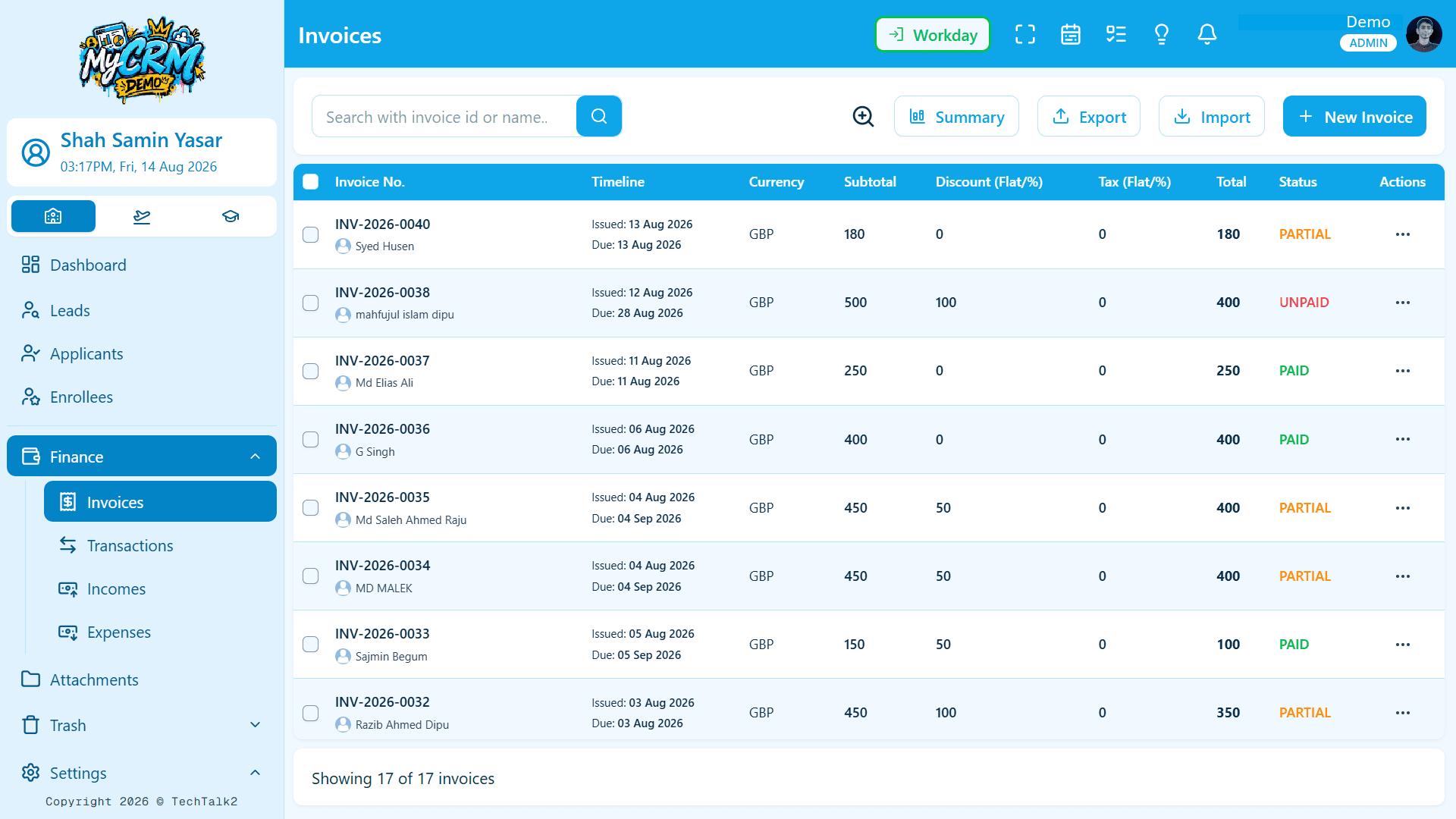
Invoices, payments, income, and expenses all stay connected. Paid, partial, and unpaid status updates itself from real payments - never a manually-updated field going out of sync. Branded, signable PDF invoices included.
Access control down to one person
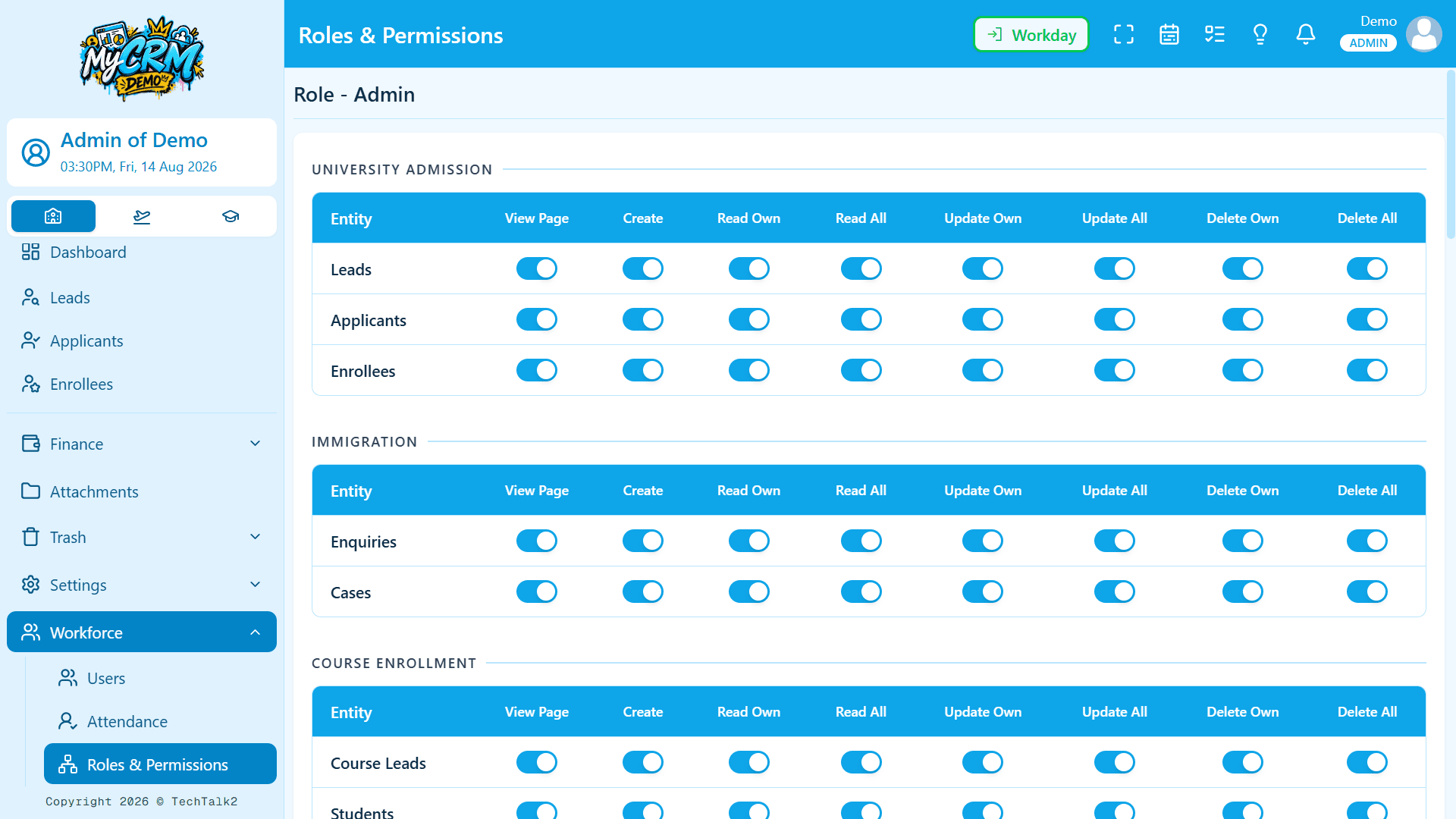
Every role is built from precise, individual permissions. Need one person to see a little more, or less, than their role normally allows? Adjust it for just that person - no new role needed, and it takes effect immediately.
Notifications that point somewhere
A new lead, a status change, a note, a leave request - every notification takes you straight to what needs your attention.
One file hub, company-wide
Every file, across every lead and case, in one searchable place - stored securely, with access controlled per person.
Trash, everywhere
Leads, cases, students, invoices, payments, files - anything deleted goes to Trash first and can be restored. A mistake is a click to undo, not an emergency.
A history that holds up
Every important change is logged, along with who made it - searchable by record or by teammate, any time you need to check.
Attendance & leave, handled
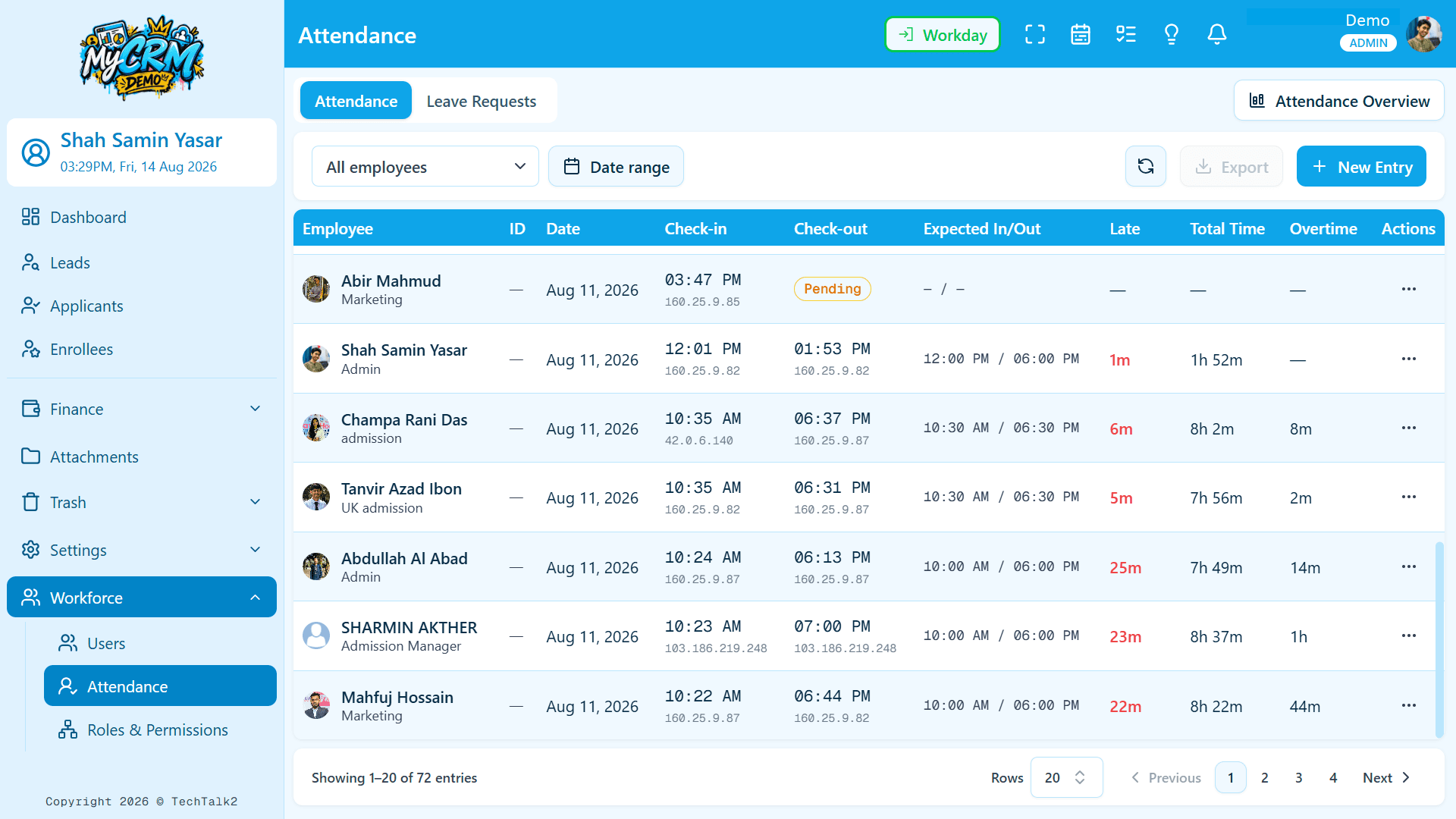
Staff check themselves in and out, admins get a full overview, work schedules are set per employee, and approved leave never counts against attendance.
Custom form builder
Add sections and fields to your intake forms whenever your process changes - no developer required.
Your brand, front and center
Every company gets its own web address, logo, and colors. The same powerful system underneath - your identity on top.
A leaderboard people actually check
See who's converting the most leads across admissions, immigration, and courses - visible to everyone, built to motivate your team, not to watch over them.
Pick a palette. Watch your workspace change.
Every company gets a fully branded workspace - 15 ready-made themes, light and dark, or fine-tune each color yourself. It updates everywhere: sidebar, header, buttons, charts. No developer required.
Previewing Indigo Light
Spreadsheets only scale so far. Generic software takes months to fit.
Neither was built for admissions, immigration casework, and course enrollment running at the same time. This is.
Spreadsheets
+ chat apps
Generic
CRM
Axiqo
Edu CRM
Access control you can explain in one sentence.
No hidden rules, no mystery settings only the original developer understands. This is exactly how the system decides what someone can see and do.
Precise, flexible permissions
Every action - viewing, creating, editing, deleting - can be controlled individually. Roles are built from these, so access is never hard-coded to a job title.
Per-person exceptions
Give one person a little more or less access than their role allows, without creating a whole new role just for them.
Access updates instantly
Change someone's access and it takes effect right away - no logging out and back in required.
More than a hidden button
Every permission is verified independently, every time - not just hidden from view. Even a clever workaround still won't be allowed through.
Easy to undo, hard to lose
Deleted records go to Trash first, so a mistake is a click to fix - not an emergency call to support.
Your data stays yours
Each company's information is kept completely separate from every other - there's no path for one company's data to reach another's account.
From an empty account to a running operation.
Set up your workspace
Your own web address, logo, colors, and currency - live in minutes, not a long migration project.
Define roles and stages
Set up your team's roles and permissions, pipeline stages, sources, countries, and universities - no coding needed.
Bring your team and your leads
Import your existing leads, assign owners, and pick up exactly where the spreadsheet left off.
Run the whole operation, together
Admissions, casework, course enrollment, finance, and your team - all in one dashboard, with one complete history you can always trust.
that's really it - no IT department required
Your consultancy already runs on data. Give it one home.
Sign in if your workspace is already live - or explore the platform first.